> ## Documentation Index
> Fetch the complete documentation index at: https://stratengineai.com/docs/llms.txt
> Use this file to discover all available pages before exploring further.
# Finding your way around
> The VC side menu, what Home shows and when, the memo usage tracker in the header, Settings, and Feedback & Help.
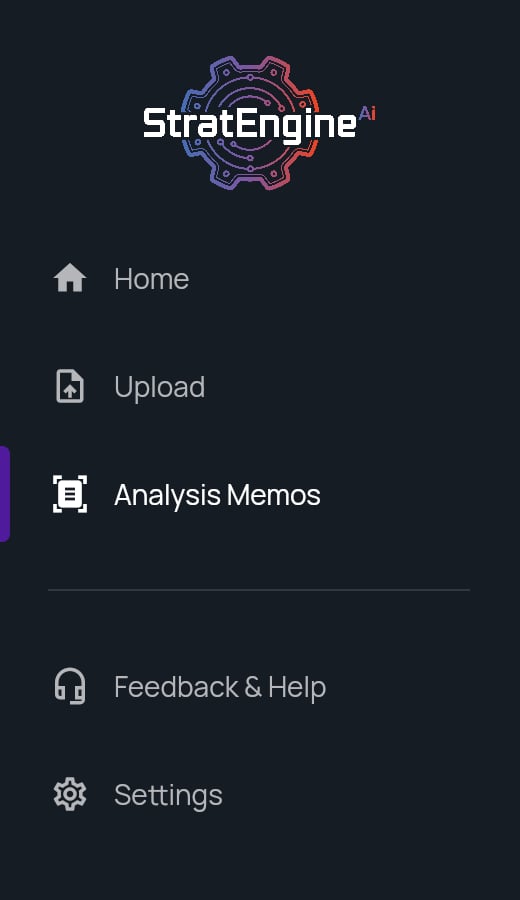
The VC side menu has three working pages (**Home**, **Upload**, **Analysis Memos**) plus **Feedback & Help** and **Settings**. Home is a launcher that changes with your activity. The header shows how many memos you've generated this billing period.
## Side menu
| Item | What it opens |
| - | - |
| Logo | Home. |
| **Home** | The launcher: start an upload, reopen recent memos, finish setup. |
| **Upload** | The drop zone and **Processing Queue**. See [Upload pitch decks](/docs/vc/upload). |
| **Analysis Memos** | Every memo in your workspace (the page is titled **Memo Manager**), with status tabs and sorting. See [Analysis Memos](/docs/vc/memo-manager). |
| **Feedback & Help** | The **Help & Feedback** page: **Feedback Survey**, **Email Feedback (freeform)**, **Contact Support**, **Report a Bug**, and the **Privacy Policy**, **EULA** and **Terms of Service**. |
| **Settings** | Workspace, documents, connections, billing and frameworks. See [Settings](#settings) below. |
 ## Home
Home changes based on your memos:
| State | When | What you see |
| - | - | - |
| First visit | No memos yet | **Let's start with your first pitch deck.** and **Analyze your first pitch deck**, which opens Upload. |
| Early | One or two memos | **Keep going**, your latest memo with a **Continue** button, then tiles under **Start something else**. |
| Active | Three or more memos | **Welcome back**, the tiles, and your three latest memos under **Pick up where you left off**. |
| Returning | 14 or more days since your latest memo | **Welcome back**, how long it's been, your latest memo, and tiles under **Start fresh**. |
The tiles:
* **Pitch deck** (Upload and analyze a new deck) opens Upload.
* **Memo** (Review your pipeline or open a draft) opens Analysis Memos. Hidden until you have a memo.
* **Framework** (Shape how decks get analyzed) opens the framework editor. Hidden while Home shows the **Pick or build a framework** reminder.
If you skipped onboarding steps, Home also lists them as setup rows. See [Onboarding](/docs/vc/onboarding#finish-skipped-steps-from-home).
## Header and memo usage
The header on Home, Upload and the framework editor has a search box (**Search generated files...**), a Settings gear and, on VC plans (Free, Solo, Team, Network, Scale), the memo usage tracker:
* **N / M memos generated** this billing period, with a progress bar.
* **N days left** in the period.
* At 80% of your allowance: **Overages incur extra charges**.
* Past your allowance: **Extra charges apply**.
The Free plan has no overages. The tracker says **Uploads stop at your limit** at 80% and **Limit reached. Upgrade to add more.** once the allowance is used. After that, dropping a deck opens the plan picker for admins, and members see **Ask your admin to upgrade.** Overage rates and allowances are on the [pricing page](https://stratengineai.com/investor#pricing); how overages work is in [VC plans and memo overages](/docs/vc/billing/plans).
### Search memos
Type a company name in the search box to find memos. Click a result to open the memo, or its exported file if it has been exported.
## Settings
In VC mode, **Settings** contains:
| Section | Who sees it | Details |
| - | - | - |
| **Organization User Management** | Admins | [Team members and roles](/docs/account/team) |
| **Private documents** | Everyone | [Private documents](/docs/vc/private-documents) |
| **Connected providers**, **Sync a cloud folder**, **Export destination** | Everyone (folder sync is admin-only) | [Connect cloud storage](/docs/account/connections), [Sync a cloud folder](/docs/account/folder-sync) |
| [**Brand kits**](/docs/strategy/decks/brand-kits) | Everyone | Color palettes applied when generating Strategy decks |
| **Billing & Account Management** | Everyone (billing actions are admin-only) | [VC plans and memo overages](/docs/vc/billing/plans) |
| **Pitch Deck Scoring Frameworks** | Everyone | [Custom scoring frameworks](/docs/vc/scoring-frameworks) |
| **Pitch Deck Folder Watch Location** | Admins | [Auto-ingest decks from a folder or email](/docs/vc/folder-watch) |
| **Pitch Deck Forwarding Address** | Members | Your forwarding address, read-only. See [Forward decks by email](/docs/vc/folder-watch#forward-decks-by-email). |
| **Danger Zone** | Everyone | [Log out, cancel, or delete your account](/docs/account/delete-account) |
## Related
* [Onboarding](/docs/vc/onboarding)
* [Upload pitch decks](/docs/vc/upload)
* [Analysis Memos](/docs/vc/memo-manager)
## Related topics
- [Finding your way around](/docs/strategy/navigation.md)
- [Introduction](/docs/vc/index.md)
- [Onboarding](/docs/strategy/onboarding.md)
- [File Manager](/docs/strategy/file-manager.md)
This documentation is built and hosted on [Mintlify](https://mintlify.com), a developer documentation platform.
## Home
Home changes based on your memos:
| State | When | What you see |
| - | - | - |
| First visit | No memos yet | **Let's start with your first pitch deck.** and **Analyze your first pitch deck**, which opens Upload. |
| Early | One or two memos | **Keep going**, your latest memo with a **Continue** button, then tiles under **Start something else**. |
| Active | Three or more memos | **Welcome back**, the tiles, and your three latest memos under **Pick up where you left off**. |
| Returning | 14 or more days since your latest memo | **Welcome back**, how long it's been, your latest memo, and tiles under **Start fresh**. |
The tiles:
* **Pitch deck** (Upload and analyze a new deck) opens Upload.
* **Memo** (Review your pipeline or open a draft) opens Analysis Memos. Hidden until you have a memo.
* **Framework** (Shape how decks get analyzed) opens the framework editor. Hidden while Home shows the **Pick or build a framework** reminder.
If you skipped onboarding steps, Home also lists them as setup rows. See [Onboarding](/docs/vc/onboarding#finish-skipped-steps-from-home).
## Header and memo usage
The header on Home, Upload and the framework editor has a search box (**Search generated files...**), a Settings gear and, on VC plans (Free, Solo, Team, Network, Scale), the memo usage tracker:
* **N / M memos generated** this billing period, with a progress bar.
* **N days left** in the period.
* At 80% of your allowance: **Overages incur extra charges**.
* Past your allowance: **Extra charges apply**.
The Free plan has no overages. The tracker says **Uploads stop at your limit** at 80% and **Limit reached. Upgrade to add more.** once the allowance is used. After that, dropping a deck opens the plan picker for admins, and members see **Ask your admin to upgrade.** Overage rates and allowances are on the [pricing page](https://stratengineai.com/investor#pricing); how overages work is in [VC plans and memo overages](/docs/vc/billing/plans).
### Search memos
Type a company name in the search box to find memos. Click a result to open the memo, or its exported file if it has been exported.
## Settings
In VC mode, **Settings** contains:
| Section | Who sees it | Details |
| - | - | - |
| **Organization User Management** | Admins | [Team members and roles](/docs/account/team) |
| **Private documents** | Everyone | [Private documents](/docs/vc/private-documents) |
| **Connected providers**, **Sync a cloud folder**, **Export destination** | Everyone (folder sync is admin-only) | [Connect cloud storage](/docs/account/connections), [Sync a cloud folder](/docs/account/folder-sync) |
| [**Brand kits**](/docs/strategy/decks/brand-kits) | Everyone | Color palettes applied when generating Strategy decks |
| **Billing & Account Management** | Everyone (billing actions are admin-only) | [VC plans and memo overages](/docs/vc/billing/plans) |
| **Pitch Deck Scoring Frameworks** | Everyone | [Custom scoring frameworks](/docs/vc/scoring-frameworks) |
| **Pitch Deck Folder Watch Location** | Admins | [Auto-ingest decks from a folder or email](/docs/vc/folder-watch) |
| **Pitch Deck Forwarding Address** | Members | Your forwarding address, read-only. See [Forward decks by email](/docs/vc/folder-watch#forward-decks-by-email). |
| **Danger Zone** | Everyone | [Log out, cancel, or delete your account](/docs/account/delete-account) |
## Related
* [Onboarding](/docs/vc/onboarding)
* [Upload pitch decks](/docs/vc/upload)
* [Analysis Memos](/docs/vc/memo-manager)
## Related topics
- [Finding your way around](/docs/strategy/navigation.md)
- [Introduction](/docs/vc/index.md)
- [Onboarding](/docs/strategy/onboarding.md)
- [File Manager](/docs/strategy/file-manager.md)
This documentation is built and hosted on [Mintlify](https://mintlify.com), a developer documentation platform.