> ## Documentation Index
> Fetch the complete documentation index at: https://stratengineai.com/docs/llms.txt
> Use this file to discover all available pages before exploring further.
# Quickstart: your first memo
> Sign in, finish VC onboarding, upload a pitch deck and open the investment memo StratEngine generates from it.
To get your first memo: sign in, complete the short onboarding, drop a pitch deck on the **Upload** page, wait for it to show **Done** in the **Processing Queue**, then open it from **Analysis Memos**. Only the Profile step of onboarding is required.
Free plans include a monthly memo allowance. Once it's used, uploads stop until an admin upgrades the plan. See [VC plans and memo overages](/docs/vc/billing/plans).
Sign in with the magic link sent to your email. See [Sign in](/docs/account/sign-in) if the link doesn't arrive.
On **Tell us about yourself**, enter **Full name** and **Job title** (both required). **Company**, **Company size**, **Industry** and **How did you hear about us?** are optional. Click **Continue**.
On **How should StratEngine evaluate deals?**, pick **Use StratEngine AI framework** to start with the default, or **Create custom framework** to define categories, per-stage weights and scoring anchors now. You can change this later from **Settings**. See [Custom scoring frameworks](/docs/vc/scoring-frameworks).
On **Add private documents**, upload thesis documents, past memos or IC notes so memos reflect what your firm knows. They're visible to everyone in your workspace. See [Private documents](/docs/vc/private-documents). Click **Continue**, or **Skip for now**.
Workspace admins see **Auto-ingest pitch decks from a folder**. Connect Google Drive, Dropbox or OneDrive and choose a folder, or click **Skip for now**. Details in [Auto-ingest decks from a folder or email](/docs/vc/folder-watch).
The **You're set.** card appears. Click **Analyze your first pitch deck** to open the **Upload** page.
Drag a deck onto **Drop pitch decks to analyze**, or click it to browse. PDF and PPTX files up to 50MB each are accepted, and you can drop several at once.
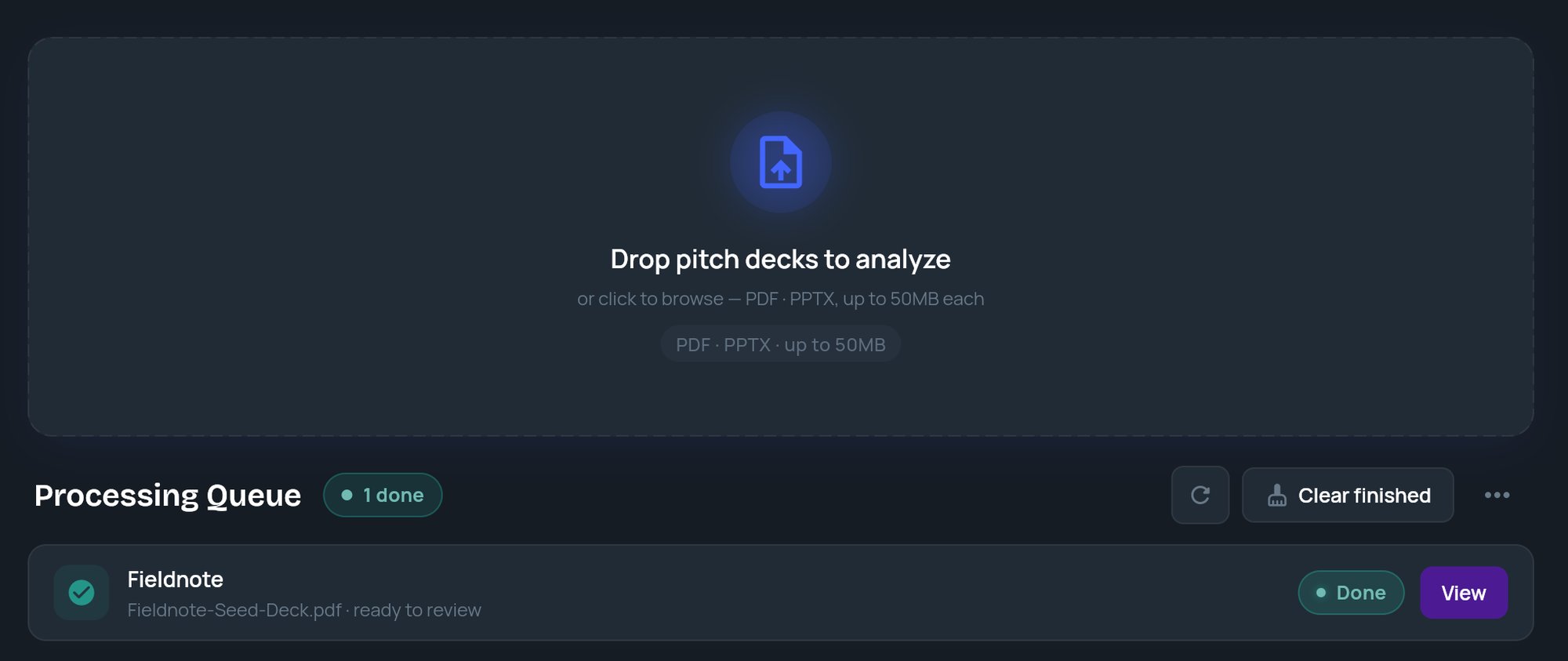 Each deck appears as a tile in the [Processing Queue](/docs/vc/upload#processing-queue) and moves from **Queued** to **Analyzing** (with a percentage) to **Done**. When it's done, click **View** to open the memo.
If a tile shows **Failed**, click **Info** for the error, then click **Retry** to run the deck again.
Click **Analysis Memos** in the side menu. Find the company and click **View Memo**. Or click the tile itself to expand it, then choose **View Analysis Memo** or **View Research Report**.
Each deck appears as a tile in the [Processing Queue](/docs/vc/upload#processing-queue) and moves from **Queued** to **Analyzing** (with a percentage) to **Done**. When it's done, click **View** to open the memo.
If a tile shows **Failed**, click **Info** for the error, then click **Retry** to run the deck again.
Click **Analysis Memos** in the side menu. Find the company and click **View Memo**. Or click the tile itself to expand it, then choose **View Analysis Memo** or **View Research Report**.
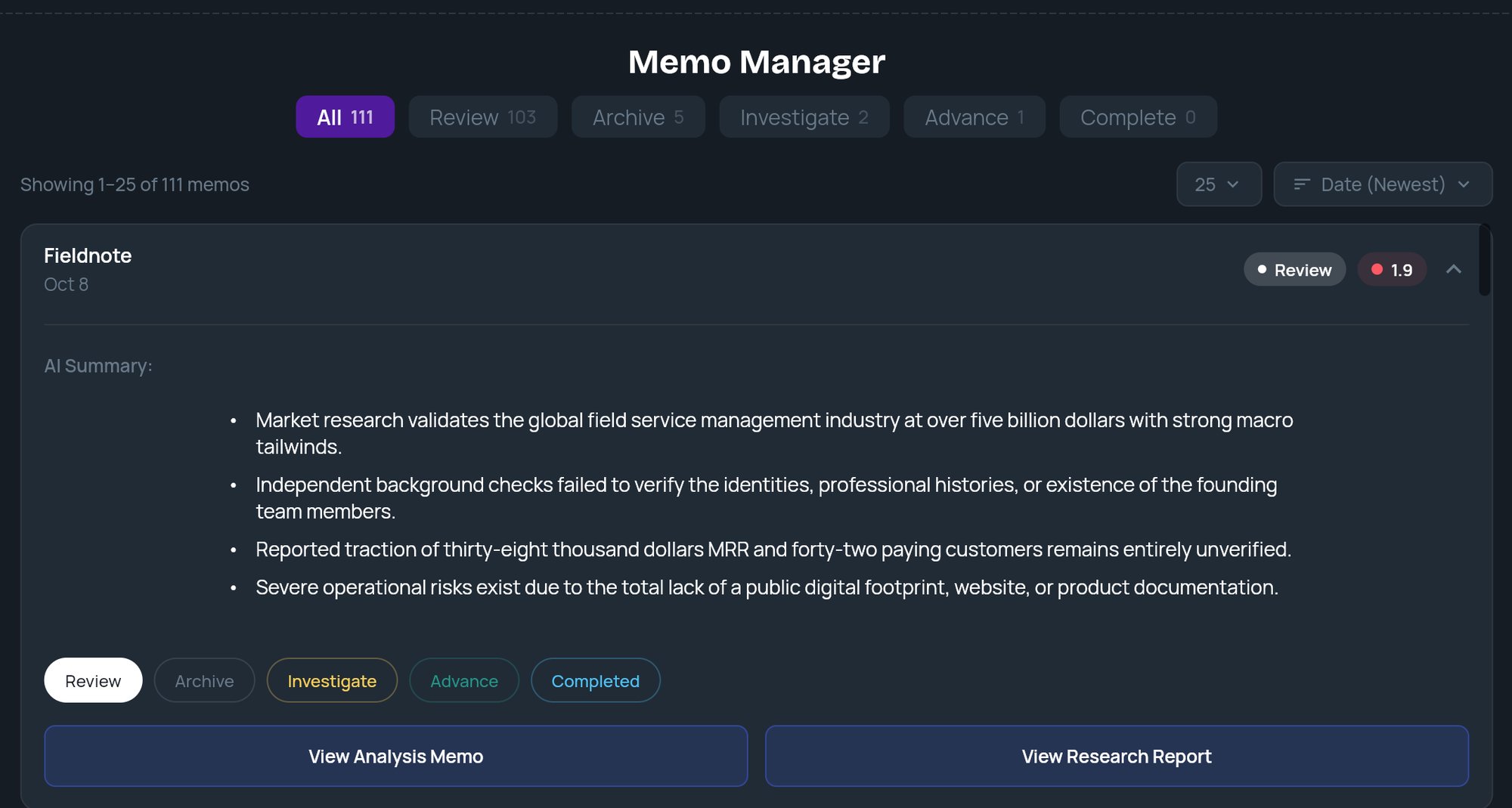 You don't have to wait on the Upload page. Analysis keeps running if you leave, and finished memos are saved to **Analysis Memos**.
## Related
* [Upload pitch decks](/docs/vc/upload)
* [Analysis Memos](/docs/vc/memo-manager)
* [Read an investment memo](/docs/vc/read-memo)
* [Onboarding](/docs/vc/onboarding)
* [Custom scoring frameworks](/docs/vc/scoring-frameworks)
* [Auto-ingest decks from a folder or email](/docs/vc/folder-watch)
## Related topics
- [Onboarding](/docs/vc/onboarding.md)
- [Introduction](/docs/vc/index.md)
- [Quickstart: your first strategy](/docs/strategy/quickstart.md)
- [Use the Strategy Builder](/docs/strategy/strategy-builder.md)
This documentation is built and hosted on [Mintlify](https://mintlify.com), a developer documentation platform.
You don't have to wait on the Upload page. Analysis keeps running if you leave, and finished memos are saved to **Analysis Memos**.
## Related
* [Upload pitch decks](/docs/vc/upload)
* [Analysis Memos](/docs/vc/memo-manager)
* [Read an investment memo](/docs/vc/read-memo)
* [Onboarding](/docs/vc/onboarding)
* [Custom scoring frameworks](/docs/vc/scoring-frameworks)
* [Auto-ingest decks from a folder or email](/docs/vc/folder-watch)
## Related topics
- [Onboarding](/docs/vc/onboarding.md)
- [Introduction](/docs/vc/index.md)
- [Quickstart: your first strategy](/docs/strategy/quickstart.md)
- [Use the Strategy Builder](/docs/strategy/strategy-builder.md)
This documentation is built and hosted on [Mintlify](https://mintlify.com), a developer documentation platform.