

Choose how to start
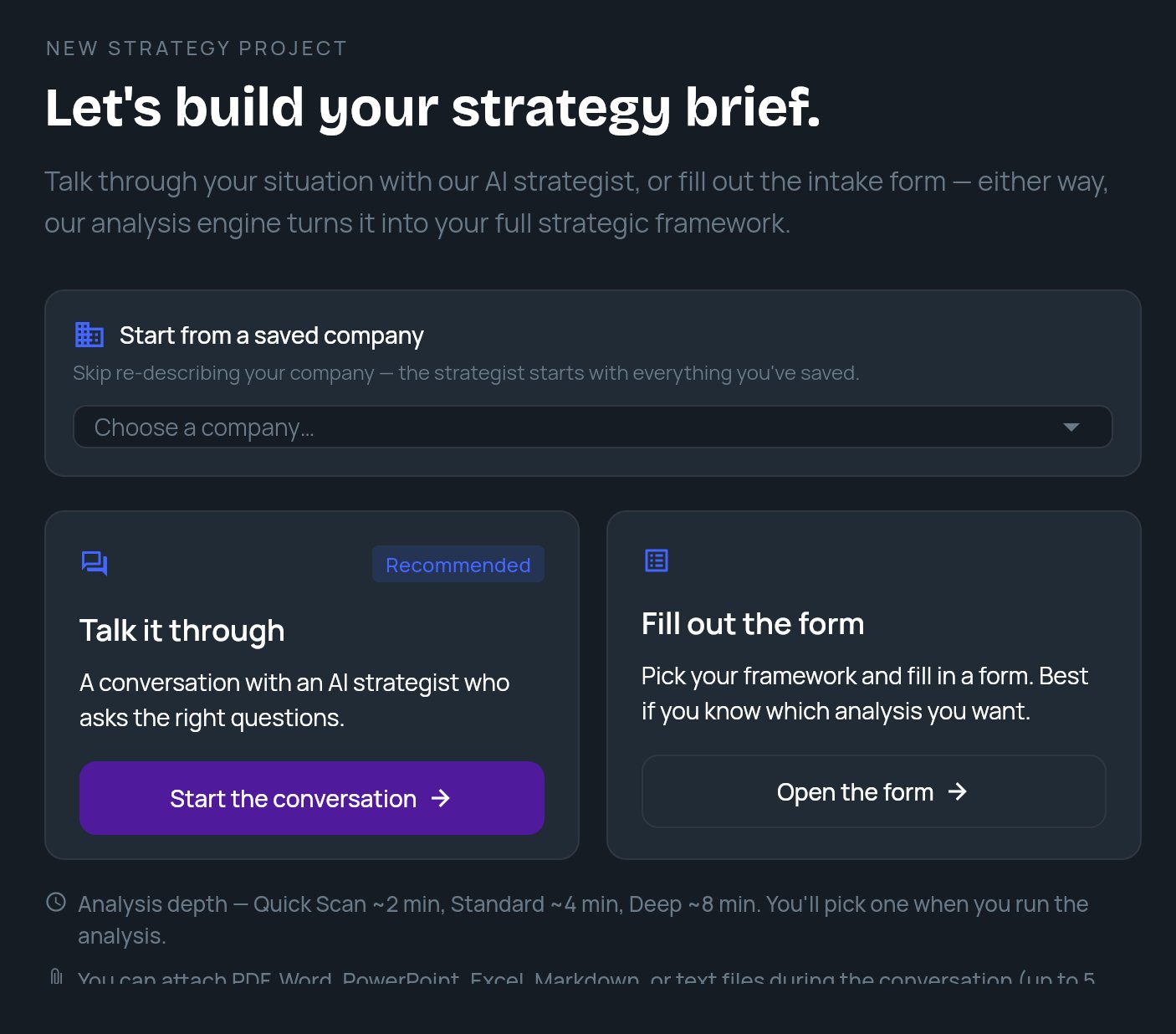
The start screen is headed NEW STRATEGY PROJECT and Let’s build your strategy brief. It offers two cards:
Below the cards, the app notes the analysis times (Quick Scan ~2 min, Standard ~4 min, Deep ~8 min). You don’t pick a depth here. You pick it when you run the analysis. See Analysis depth.
Start from a saved company
If your workspace has saved companies, a Start from a saved company card sits above the two options. Open Choose a company… and pick one. The strategist then starts with everything you saved about that company, so you don’t have to describe it again.- To unpick it, click the X (tooltip Start without a saved company).
- Once you’re in the conversation, the same picker appears as a smaller row above the chat until you send your first message. After that, the company for this conversation is fixed. To change it, use Start over.
- If you pick a company and then choose Fill out the form, the form opens with that company loaded.
Talk it through
1
Open the conversation
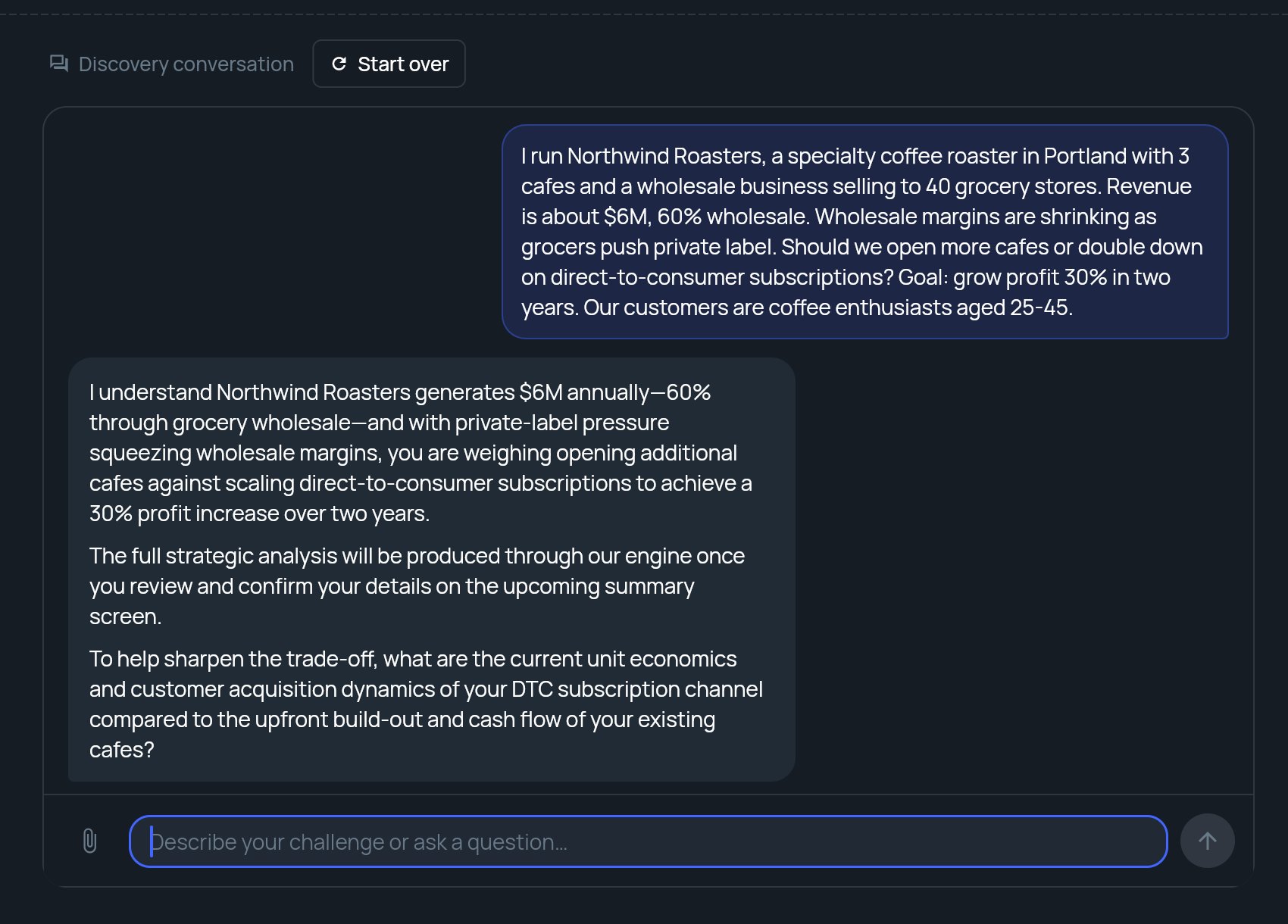
Click Start the conversation. The screen changes to Discovery conversation and the strategist asks what’s on your mind.
2
Describe your challenge
Type in the box (Describe your challenge or ask a question…) and send. You can start with a specific problem or just explore. The strategist asks follow-up questions about your company, market and goals.
3
Answer the follow-ups
Keep answering until the strategist has what it needs. Each reply can take a little while; the chat shows that it’s working.
4
Review the brief
When the strategist has enough, the REVIEW YOUR BRIEF panel opens beside the conversation. Check it, pick a depth and click Run Analysis. See Review your brief and run the analysis.
Attach files
Click the paperclip in the message box to attach files to your next message. The strategist reads them along with what you type.
Older Office formats (
.doc, .ppt, .xls) aren’t accepted. Save them in the newer format first.
If a file is rejected, a message under the box explains why, for example Maximum 5 attachments allowed, or that a file is too large or has too much text and was not attached. The other files you picked are still attached.
Start over
To throw away the conversation and go back to the start screen, click Start over next to Discovery conversation. StratEngine asks Restart conversation? and warns You’ll lose the current discussion. Click Start over to confirm, or Cancel to keep going. Starting over also clears the saved company you picked, the brief under review and any decision panel.Fill out the form
Open the form takes you to Strategy Brief Generation, a three-step form:- Pick a framework.
- Enter your business context. Problem Statement (What strategic question do you want to answer?) is required.
- Choose an analysis depth and click Generate Strategy Brief.